Settings Tab
Overview
Fresh Start
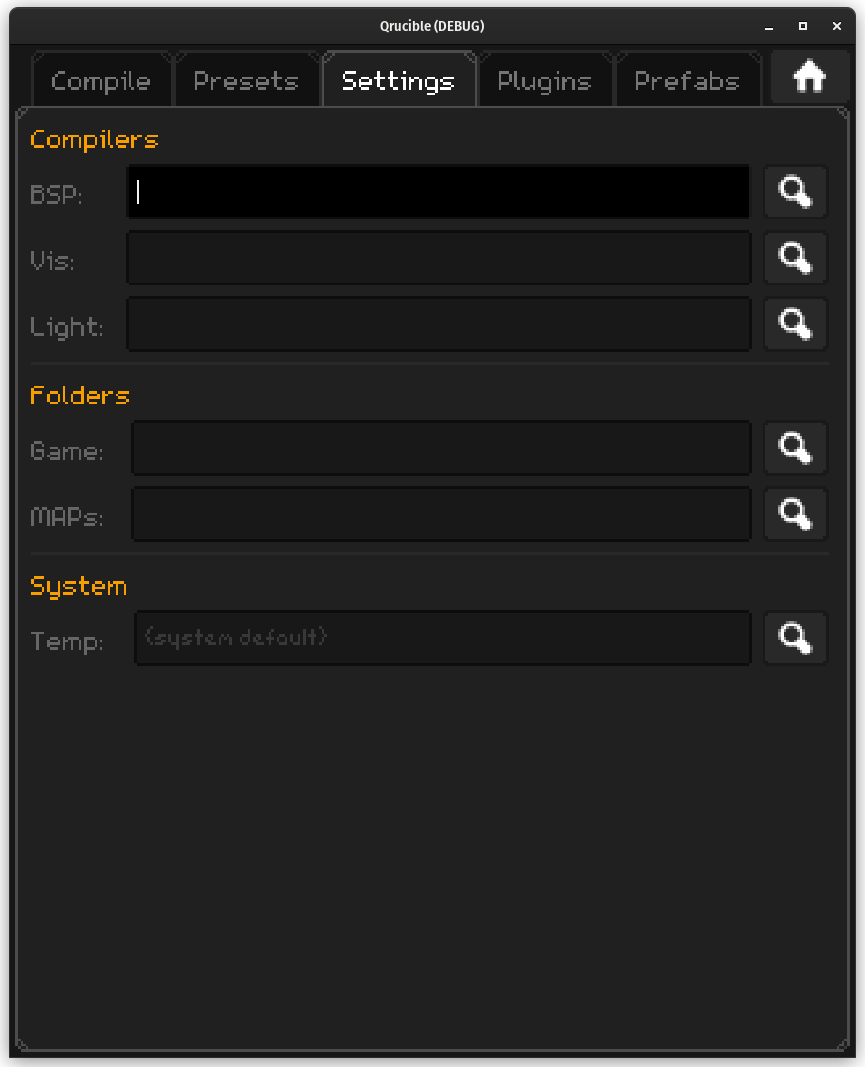
If this is your first time running Qrucible, or your config file was deleted somehow, you'll see something like the screen above. Qrucible needs to know a few things before it can really start working for you.
It's quick to fill out and you don't even need to fill in everything. If you don't care about the Temp folder, for example, you can leave it blank and Qrucible will figure it out.
Compilers
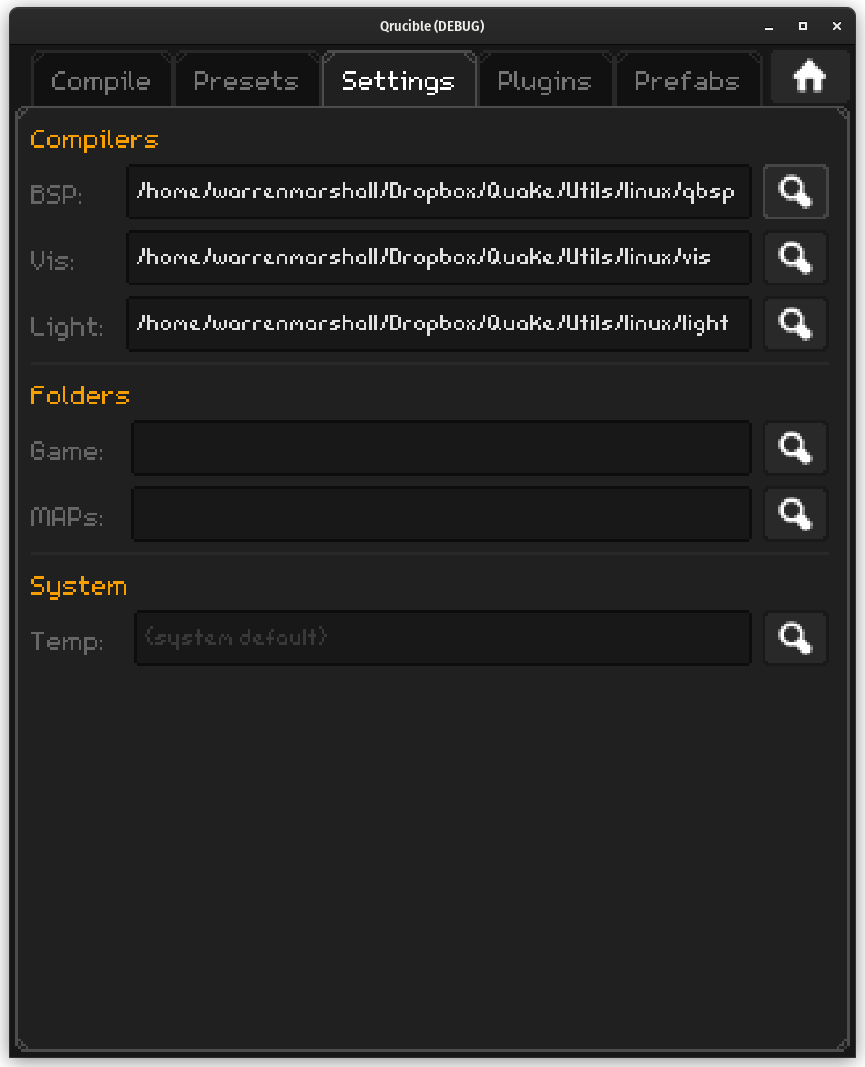
Compiling Quake levels requires some specific tools. In the show below I've used the magnifying glass to find my qbsp compiler. When I selected it, Qrucible took an educated guess that the other compilers are in the same folder and filled them in. If that's not the case, just replace those with wherever yours are located.
Folders
We need to tell it 2 more things. Where your Game folder is (which houses your Quake installation) and where your MAPs folder is (the folder where you store the MAP files you are working on).
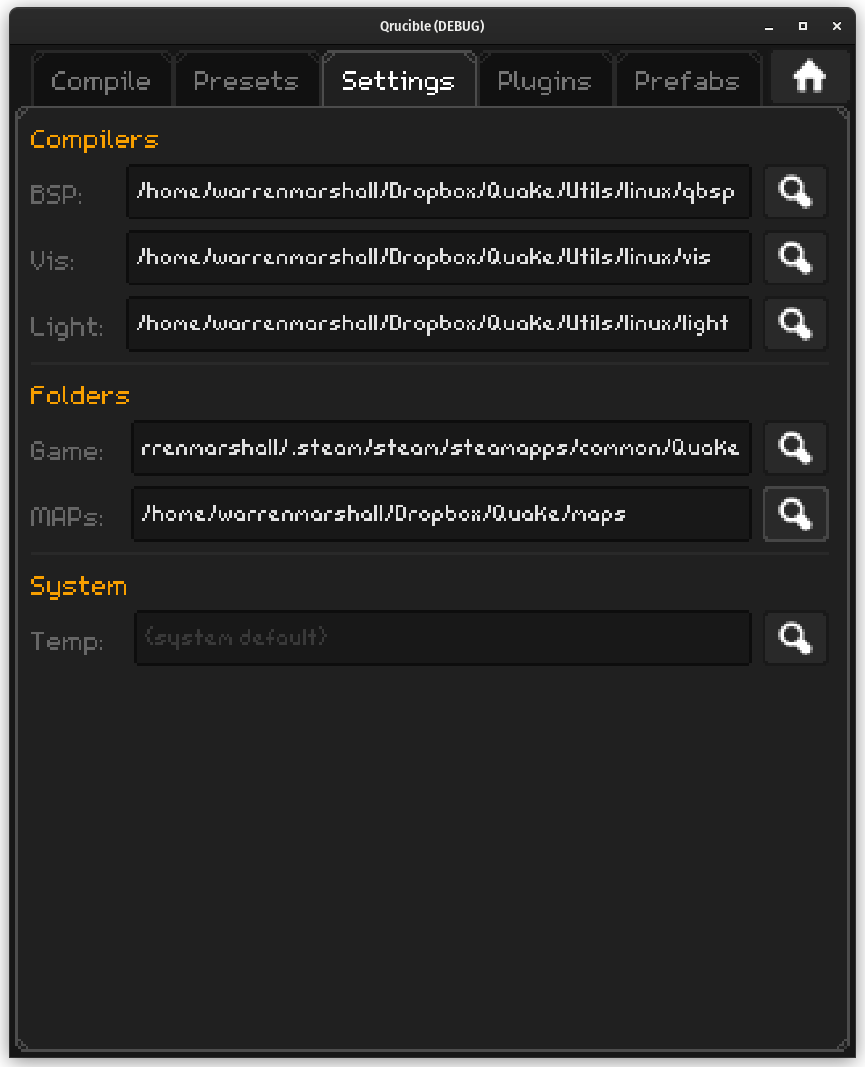
My Quake is inside my Steam folder and my MAP folder inside in my DropBox folder.
Windows users will see an additional input field here asking where your Steam folder for Quake is. You can leave that blank if you like but it you want to launch Quake using Steam, fill that in. That will cause the [Steam] option to appear in your engines list on the Compile tab.
And that's it!
System
This section is really just an opportunity for you to specify a temp folder for Qrucible to use during map compilation. If you'd rather it be somewhere else other than your system default temp folder, you can specify that here.